the tinybit game engine - part 4 - cartridges
A game console needs two things to function: hardware and something to run on it. For most consoles, that something comes in the form of physical cartridges. TinyBit follows the same pattern, except the cartridges are digital files instead of plastic rectangles you can lose behind your couch.
The concept of digital cartridges isn't my invention. I borrowed it directly from pico-8, along with several other ideas that make TinyBit less original than I'd like to admit. But that's fine. Good ideas deserve to be stolen.
the png format choice
TinyBit cartridges are .png files. This format has several advantages: anyone can view them, share them easily, and extract data from them with basic programming knowledge. Not as trivial as parsing a .bmp file, but straightforward enough that most programming languages have libraries for reading pixel RGB values.
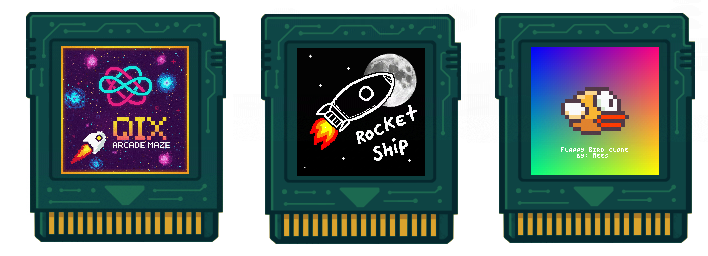
The choice to use PNG mirrors pico-8's approach, but that's where the similarity ends. When designing TinyBit, I deliberately avoided researching pico-8's implementation details. I wanted to solve the problem from scratch. After glancing at their documentation, I'm glad I took this route. Their solution works well, but it's more complex than what I need. My goal was simplicity that fits comfortably in someone's mental model.
encoding data in pixels
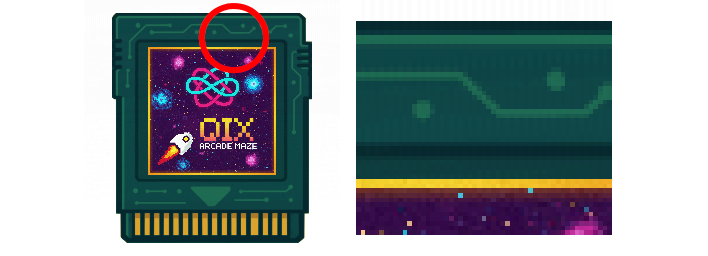
The technique for hiding data in images is called steganography. You take the raw RGBA values of each pixel in the PNG file. Each color channel (red, green, blue, alpha) uses 8 bits. The trick is replacing the two least significant bits of each channel with your actual data.
Why the least significant bits? Because changing them has minimal visual impact. The difference between RGB(127, 64, 200) and RGB(125, 66, 203) is barely perceptible to human eyes. This lets you embed data while keeping the image recognizable.
The visual distortion exists, but it's subtle. You won't notice it unless you examine the image at full zoom and compare it pixel-by-pixel with the original.
storage capacity calculations
Using two bits from each of the four RGBA channels gives us exactly 8 bits (1 byte) of storage per pixel. TinyBit cartridges are 256x256 pixels, which provides 65,536 bytes of total storage capacity.
This space gets divided between different components of the game. The spritesheet occupies a 128x128 pixel area within the cartridge, using 2 bytes per pixel for color data. That consumes exactly 32,768 bytes, or half the available space.
The remaining 32,768 bytes store the cartridge header (metadata about the game) and the actual game code. For Lua code, this translates to roughly several hundred lines of logic, depending on coding style and complexity. Variables, comments, and whitespace all count against this limit.
cartridge distribution
Here's the practical magic of this system. You can share a complete, playable game by posting a single PNG image. No zip files, no separate asset folders, no installation instructions. Just save the image and load it into TinyBit.
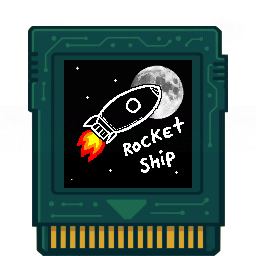
That image contains everything needed to run the game. (until i inevitably update the format and don't re-upload the image). The graphics are visible as part of the image itself. The code, sound data, and metadata are hidden in the pixel values. Someone could right-click that image on a forum, save it, and play it immediately.
This distribution method removes most friction from sharing games. No need to explain file formats or folder structures. The cartridge format handles backwards compatibility, version management, and dependency resolution by simply not having those problems in the first place.
The tradeoff is obvious: you're limited to what fits in 64KB. But constraints breed creativity. Some of the most memorable games in history fit in similar or smaller spaces. The original Super Mario Bros was 32KB. Elite fit an entire galaxy into 22KB.
Modern game development often treats storage as infinite. TinyBit forces you to make every byte count. The result is tighter code, more focused gameplay, and games that actually finish development instead of expanding infinitely in scope.